How would I use KerrOS as a salesperson
Every channel in one inbox, an AI briefing across all of them, a CRM that holds it together. Here's what KerrOS looks like in a sales day.
KerrOS Team
A salesperson’s day happens across a dozen apps. Gmail. Slack. WhatsApp. Two phone lines. Google Meet. The CRM. By the time you actually want to know what’s moving on your pipeline, you’re stitching a picture together out of four different places.
KerrOS replaces that stitching. Here’s what it does for a sales day.
One list, not four
Every channel you use lives in one inbox. Both Gmail accounts. The Slack workspace — including the #sales channel and the DMs from your CSM. WhatsApp. Discord. Microsoft Teams. The missed-call log from every phone line you connect. Sorted newest first.
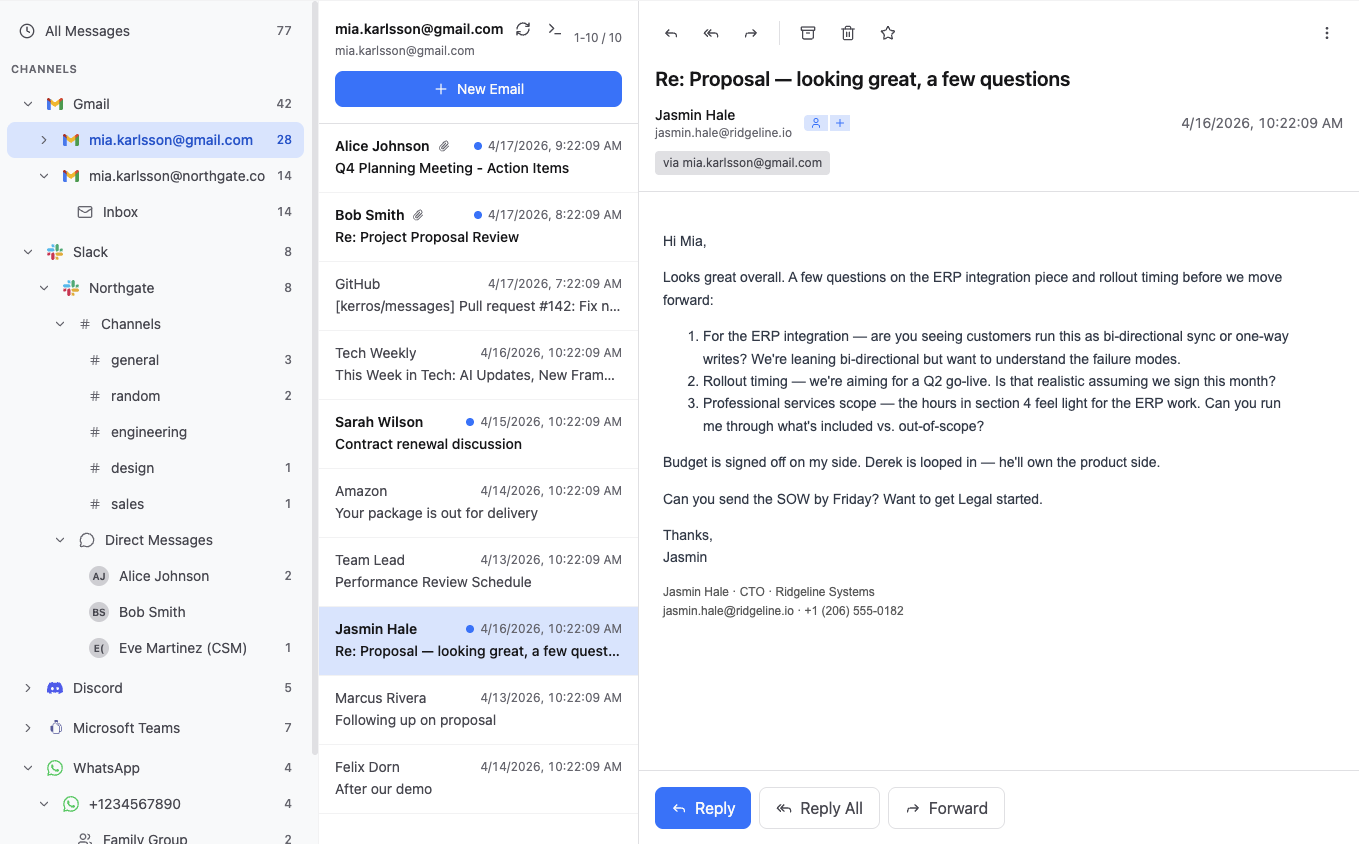
A prospect’s reply lands overnight. A customer confirms a meeting on WhatsApp. A teammate flags an inbound question in #sales. A cold thread has been silent for four days. Four different apps in the old world, one list here.
The first ten seconds of the morning tell you where to spend the first hour.
Ask for the read
Before you start replying, ask the AI for a read across every channel.
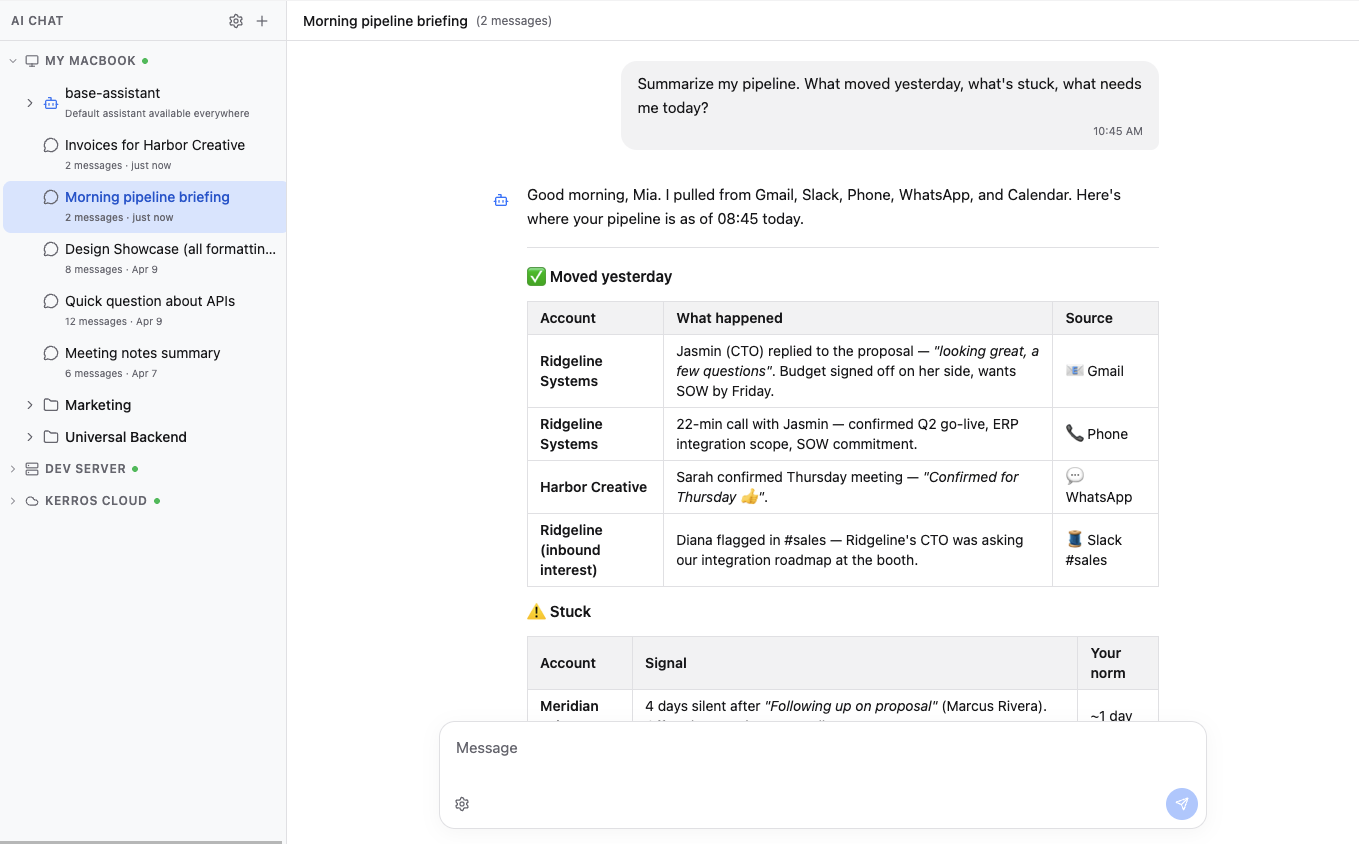
“Summarize my pipeline. What moved yesterday, what’s stuck, what needs me today?”
The AI answers with a structured pass across every channel. Before it tells you anything, it tells you where it looked — Gmail, Slack, Phone, WhatsApp, Calendar — so the scope is explicit. Then: what moved (a proposal reply, a meeting confirm, a Slack mention you’d never have seen). What’s stuck (prospects past your usual response norm). What’s on today (calls, commitments due).
It’s not magic. The AI will occasionally be wrong — it doesn’t know a given prospect is at a conference this week, or that you already heard back through a side channel. You correct it in your head and move on. What it catches that you would’ve missed — a teammate’s Slack mention that was never going to make it to your inbox — is what earns the thirty seconds.
Calls read themselves
Every call on every connected phone line is recorded and transcribed as it happens.
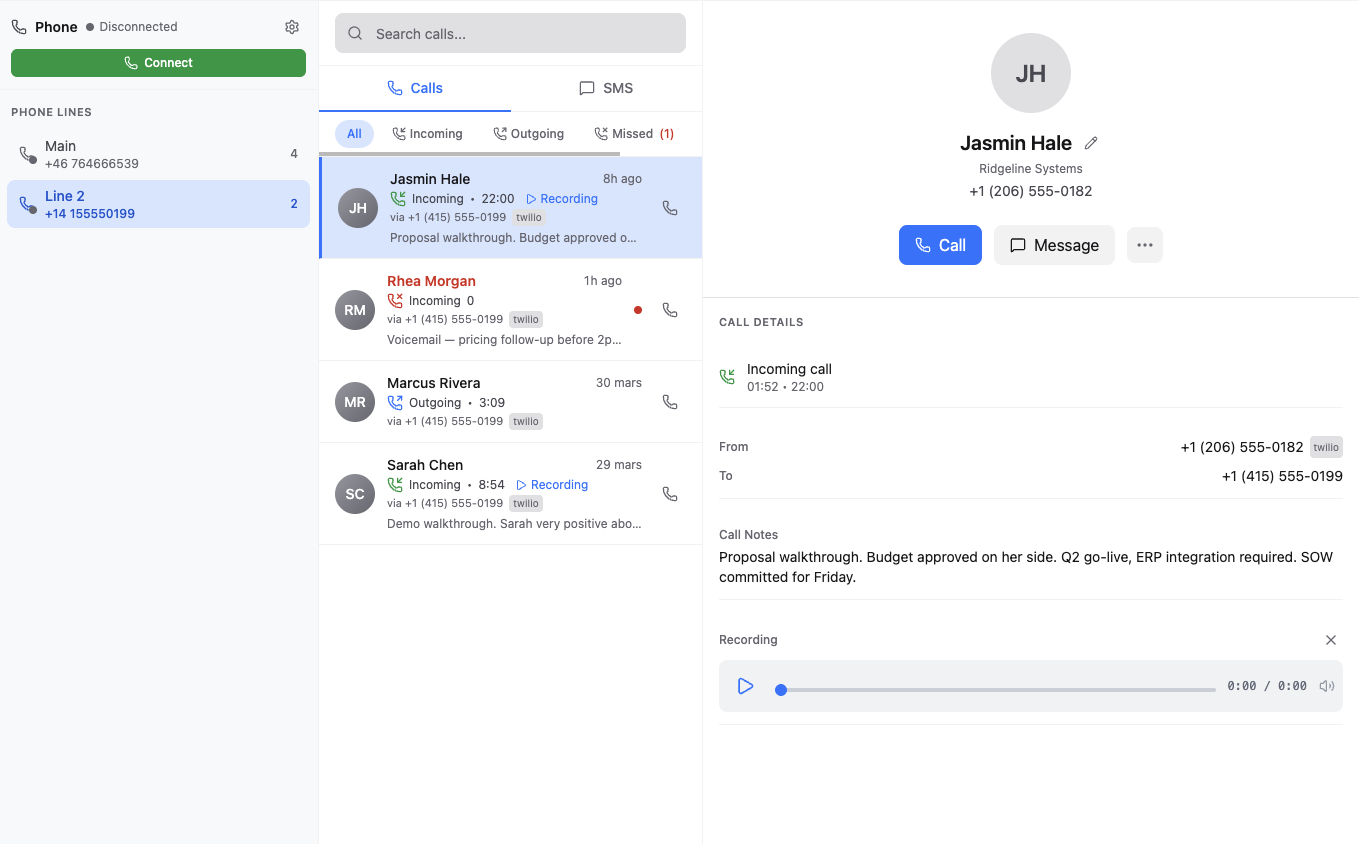
After a proposal walkthrough, you’d normally spend five minutes afterwards trying to remember what you actually agreed to. The call is already summarized in the call detail — budget signed off, Q2 go-live, ERP integration required, SOW committed for Friday. The product owner the prospect named mid-call is pulled out of the transcript automatically — the kind of detail that usually gets lost in the minute-twenty mark of a twenty-two minute conversation.
You listen during the call, instead of taking notes during the call.
One record per person
Every message that hits KerrOS is also an activity on a person and a company. No extra step.
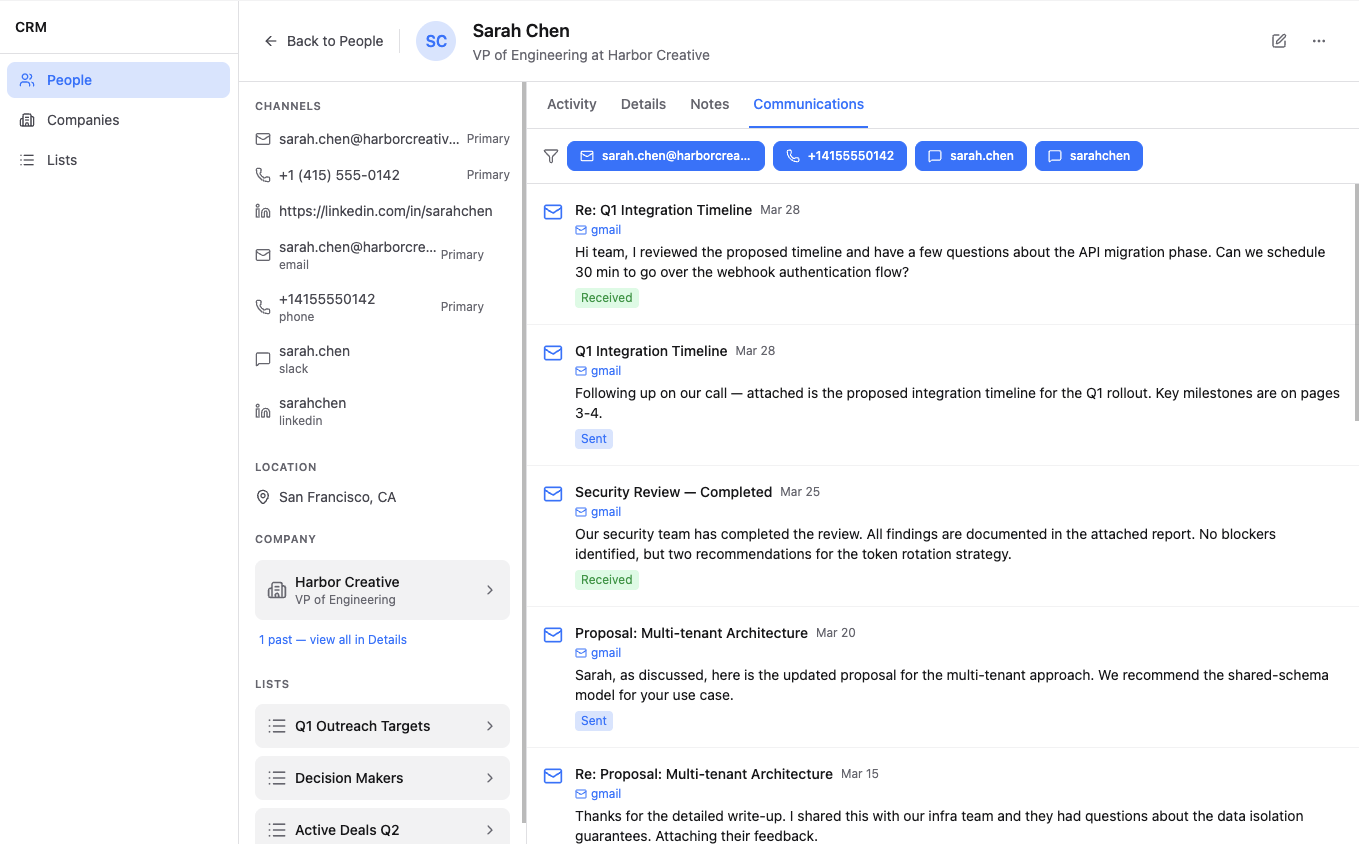
Open a contact and you see every conversation with them — across every channel — in chronological order. The March proposal thread sits next to the Slack DM from last week next to the transcript from last Tuesday’s call. It’s not a list of emails. It’s a list of everything.
Before a meeting, you don’t hunt through Gmail for the last thread, then check Slack for the last DM, then the CRM for the notes. You open the person, and the record is the record. An unanswered question from three weeks ago jumps out. A forgotten commitment surfaces. That becomes the first thing on the agenda.
The loop closes itself
A meeting is just a call that hasn’t happened yet.
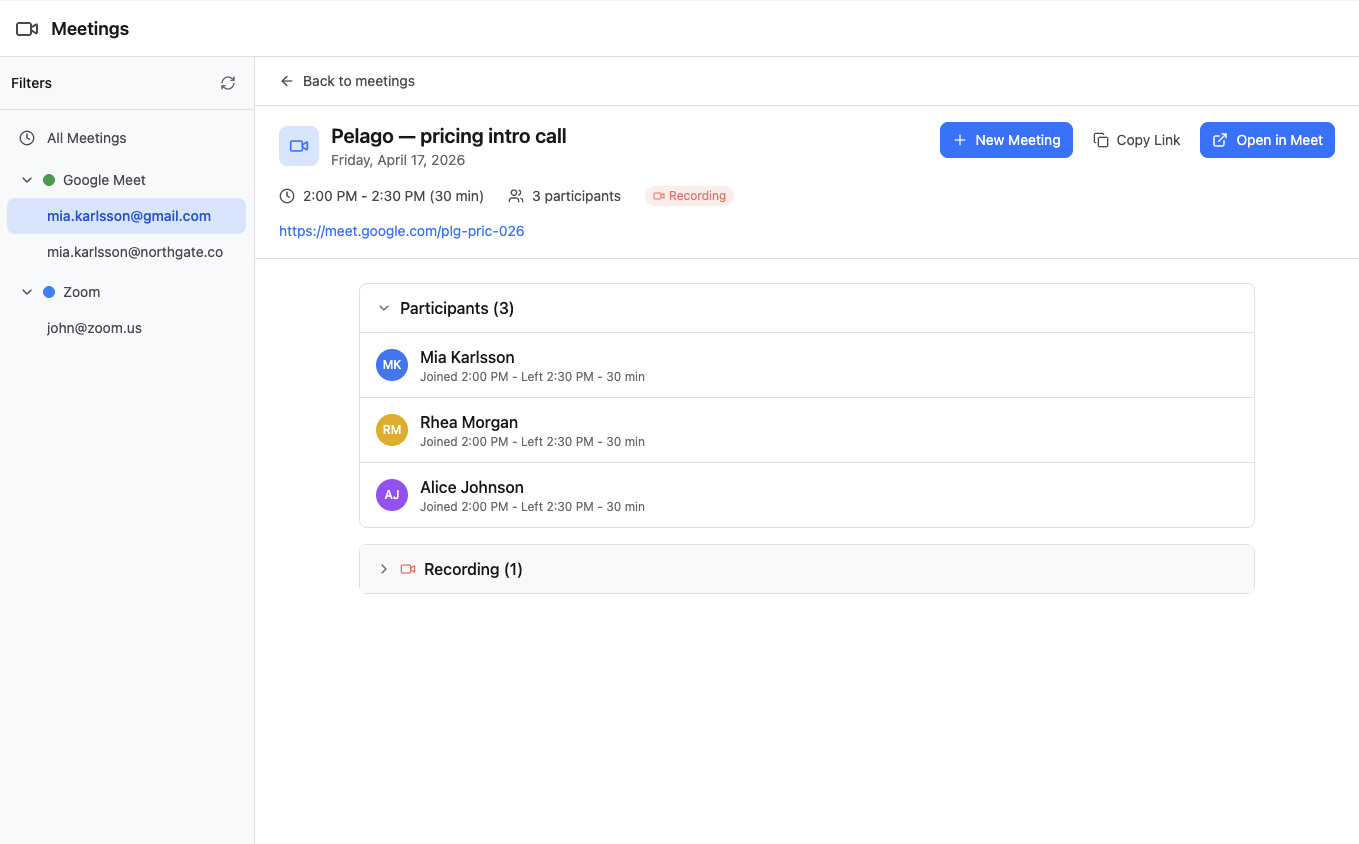
Today’s 2pm meeting will be recorded and transcribed, the commitments pulled out and attached to the account automatically. Tomorrow morning, when you ask the AI what moved yesterday, today’s 2pm will be one of the rows — summarized, sourced, actionable.
Nothing disappears. Nothing has to be written up after the fact. The machinery that captures tomorrow’s call is the same machinery that captured last Tuesday’s.
Ask it to act
The morning briefing is the shallow end. The same AI that reads across every channel can act on them.
Ask it to draft a reply to a prospect’s three ERP questions. It pulls from the call transcript, the original email, and your product docs — and writes a draft that answers the questions with specifics, not platitudes.
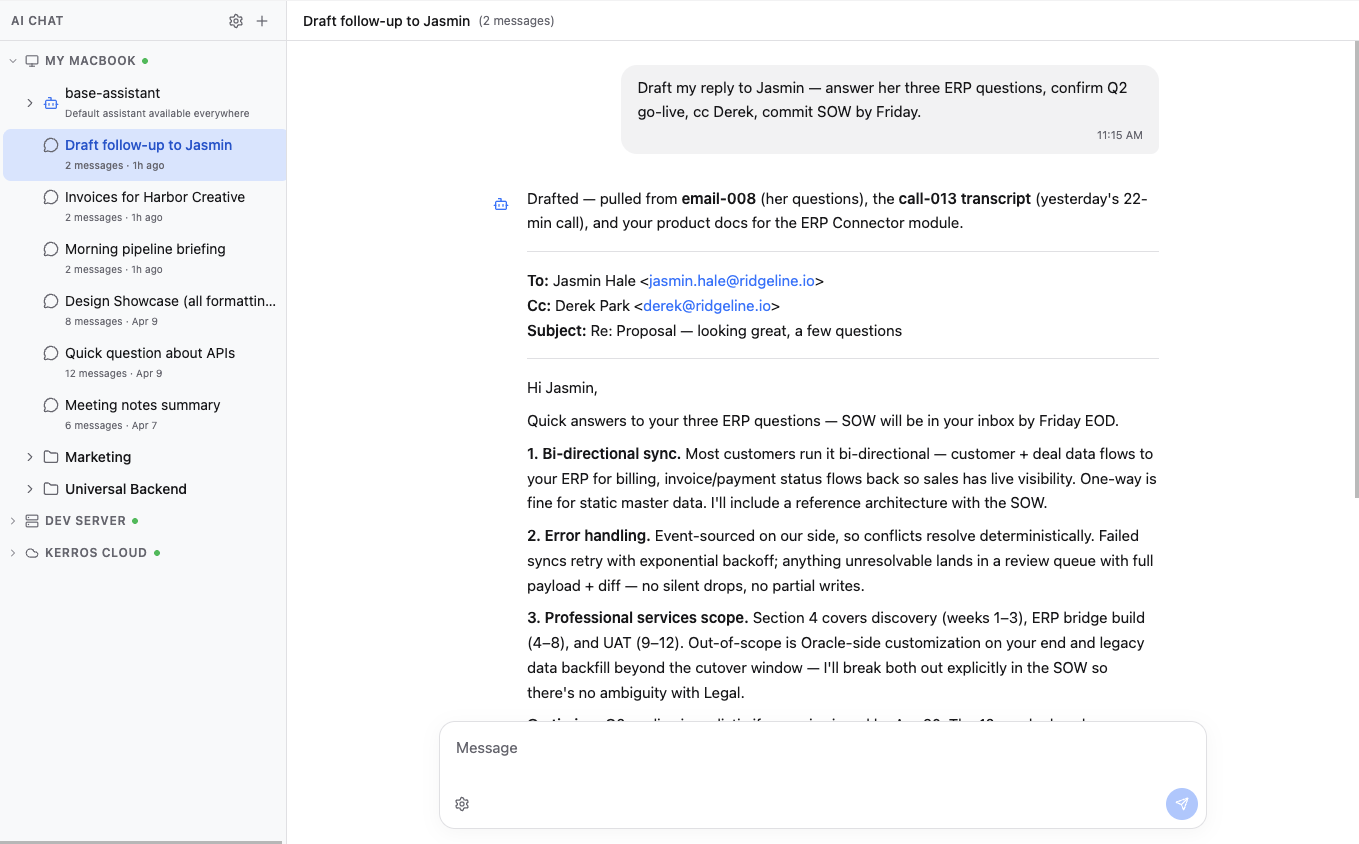
The draft sits until you decide — send it as-is, edit a line, or ask for another angle. Nothing goes out until you do.
The same pattern scales. Ask it to book a follow-up for Friday afternoon — it checks both calendars, drafts the invite, sends it. Ask it to draft the weekly update for your sales lead from what actually moved across your pipeline — you edit, you send. Tell it to nudge you if a named account goes silent past your usual response pattern — it watches the thread even when you’re not looking.
It isn’t a chatbot that answers questions when you ask. It’s an operator that can act on the same data it reads, because the data is all in one place.
The before and the after
The pipeline doesn’t get quieter. The deals don’t close themselves. The Thursday meeting still has to be prepped, the SOW still has to be written, the cold prospects still have to be nudged.
What changes is the first fifteen minutes. You used to open four apps and stitch. Now you ask one question, get back the picture, and the one thing the AI gets wrong you fix in your head before it costs you anything.
That’s what KerrOS looks like for a salesperson.