What is Drive
Every file, from every system — local, SaaS, accounting, payments — in one filesystem, indexed and usable by your AI.
KerrOS Team
Your files don’t live in one place. Some are on your machine. Others are spread across Google Drive, Dropbox, Gmail attachments, Slack threads, QuickBooks invoices, Stripe receipts. When you need to actually work — find a specific invoice, open the contract from last month, pull the screenshot from a Slack thread two months ago — you end up in four apps, trying to remember which one had it.
Drive is one filesystem for all of it.
Every source, one tree
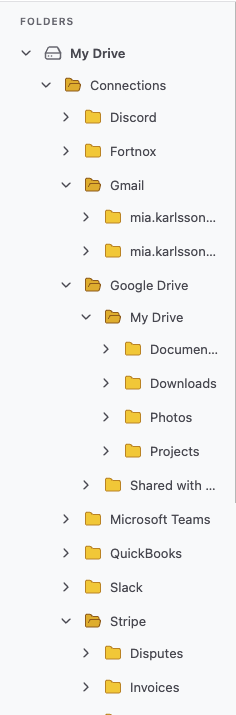
Drive is your own volume. It sits on your machine, syncs the way you’d expect any filesystem to, and pulls in every tool you connect to it as a folder. Gmail, Google Drive, Dropbox, Slack, Microsoft Teams, Discord, QuickBooks, Stripe, your bank — each shows up as a top-level folder under Connections, structured the way it is in the source.
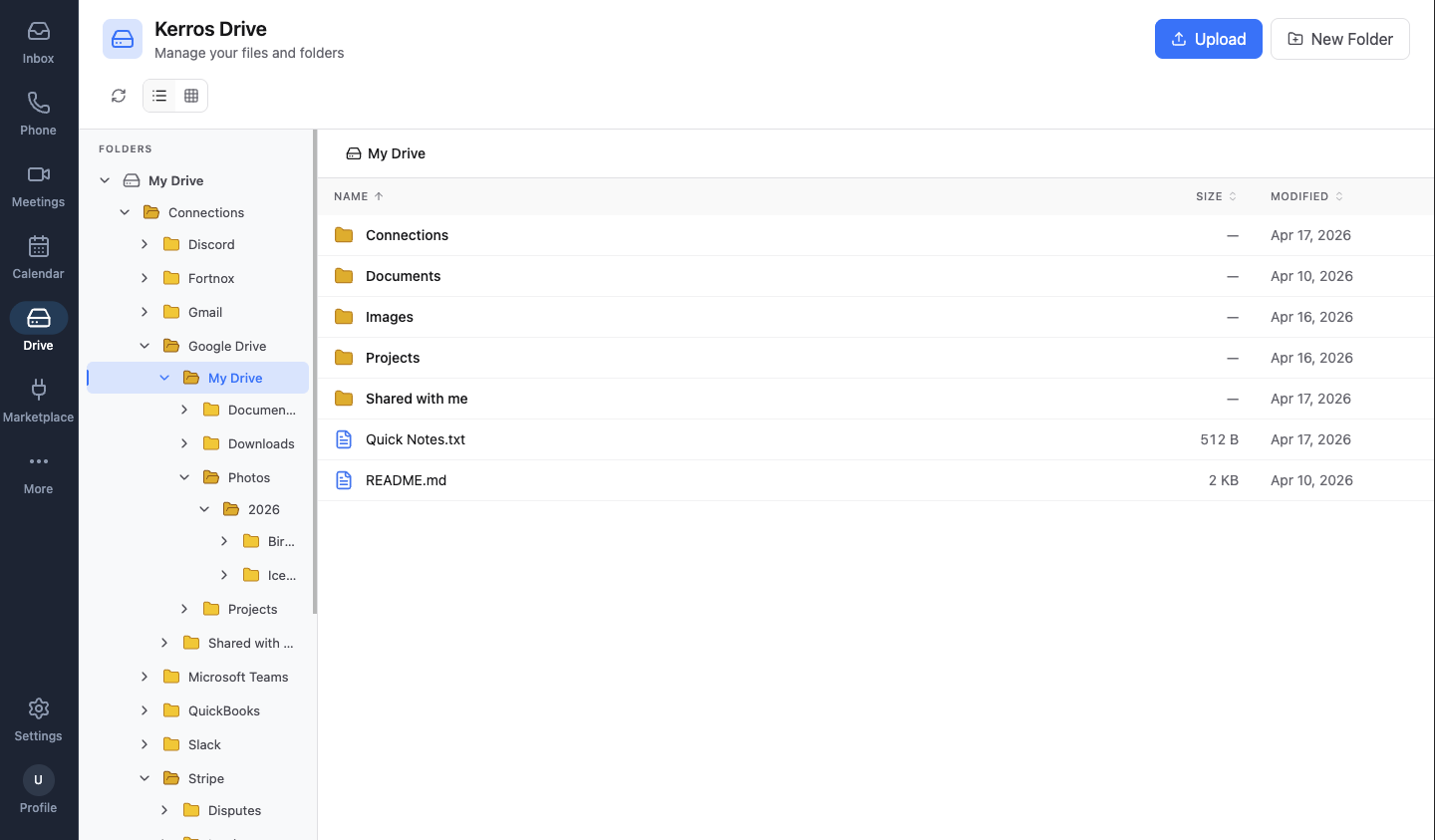
What you already organised stays organised. Your Google Drive folders nest the way they did in Google Drive. Your Slack channels stay as channels. Your QuickBooks records, your Stripe subcategories (Invoices, Payouts, Disputes, Refunds, Reports) — all preserved. Drive doesn’t flatten anything.
Real files, not previews
Each connector is a real folder of real files, navigable exactly like the ones on your machine. Click into QuickBooks → Invoices and you get the actual invoice PDFs, with sizes and dates. Select one. Move it. Delete it. Download it. The same gestures that work on local files work on files from every connected source — because as far as Drive is concerned, they are the same thing.
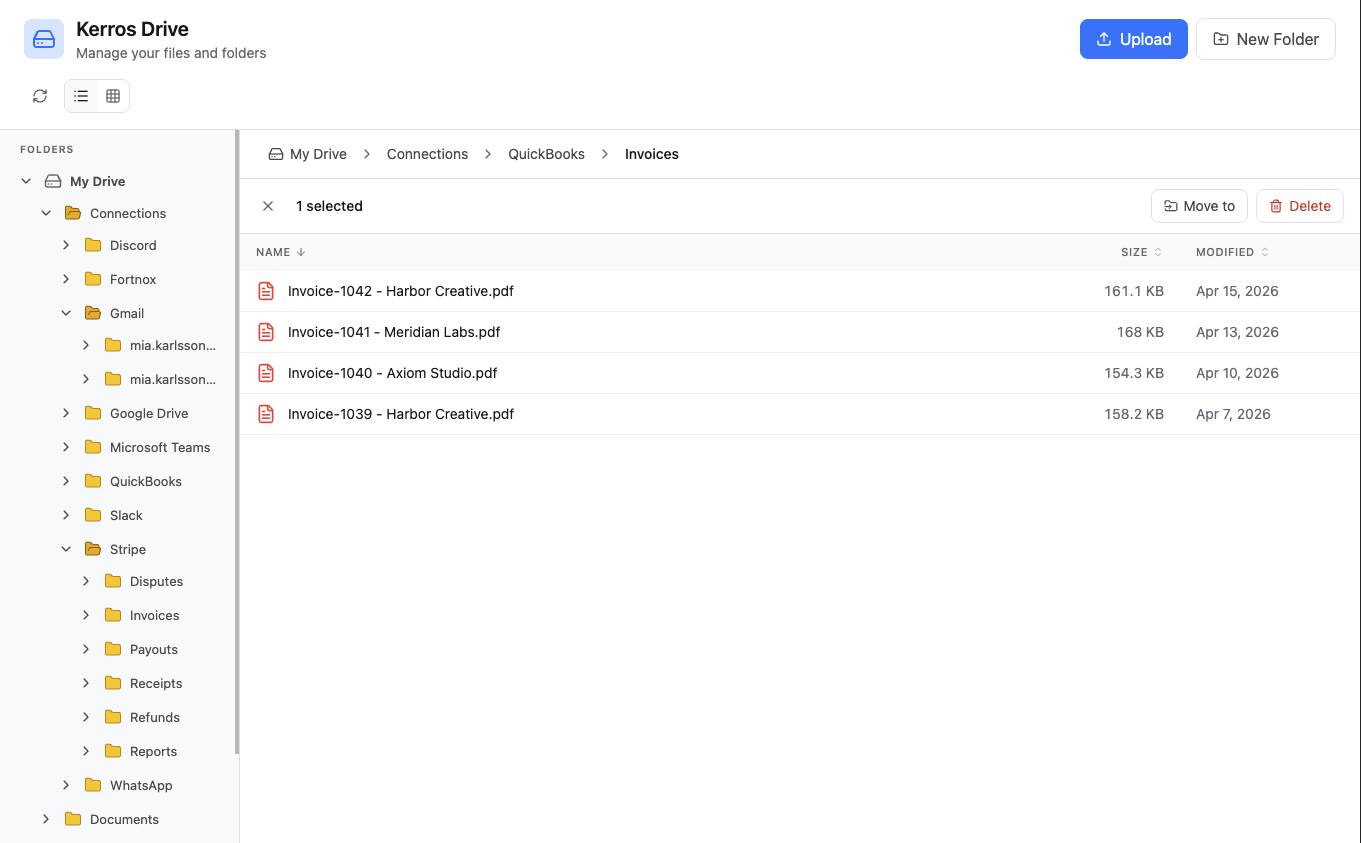
Operations work across sources. Copy a file from Gmail attachments into your local Documents. Move a Stripe receipt into a QuickBooks folder for your accountant. Transform a batch of PDFs into a single CSV. Drive treats every file the same way, regardless of where it came from.
Your AI, reading everything
Because every file is indexed in one place, your AI can see all of them at once. Not just your local documents, not just Gmail attachments, not just QuickBooks records — all of them, together.
Ask it: “Find every invoice for Harbor Creative from the past 3 months.” The AI searches every connected source — accounting, payments, email, drives — and returns one structured answer, with the exact path to each file.
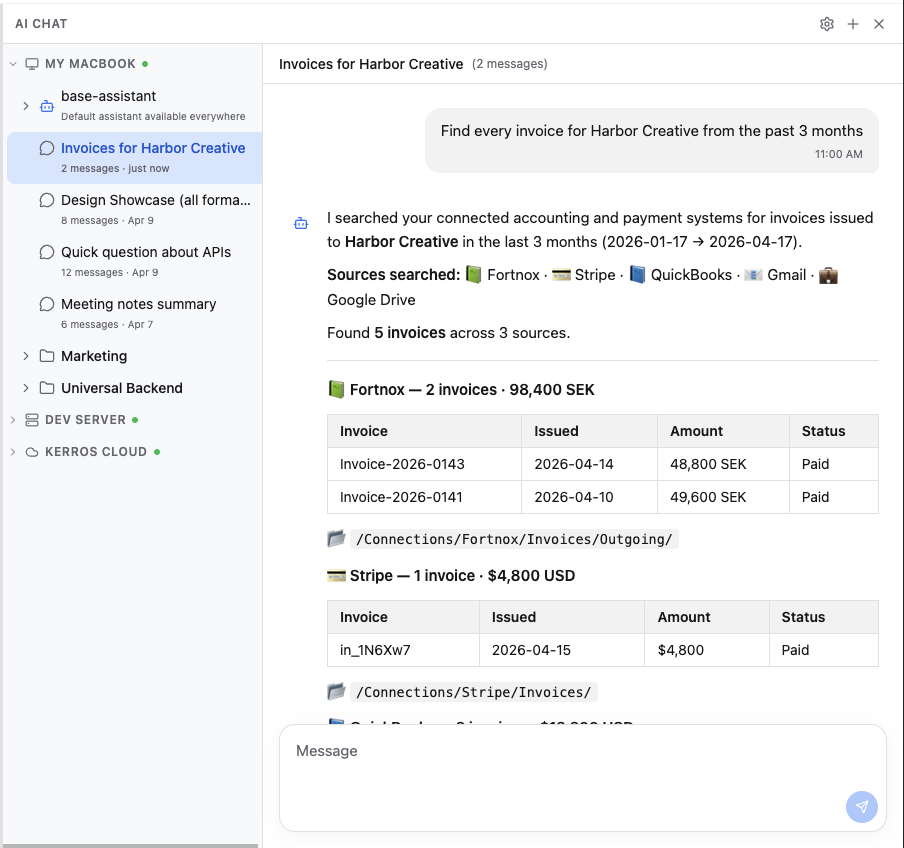
This is the part that breaks the Google Drive analogy. Google Drive searches Google Drive. Drive searches everything you’ve connected to Drive — which is every place your files actually live. The AI doesn’t have to guess where something is. It reads the whole filesystem.
Your data, your model
It all stays yours. Your volume is on your machine — that’s the default, not an upsell. We don’t train on your files. The model you use is a setting, not a commitment: OpenAI today, Anthropic tomorrow, something at half the price next year. The index and the skills you build move with you.
That’s what Drive is: one filesystem for every place your files live, indexed and usable by an AI that can actually see all of it.